
Custom Fields
Add your own fields to customers, jobs, and equipment. Text, number, date, dropdown, checkbox.
Custom fields let you capture data points Manuall doesn't ship a field for. Every business is a little different; this is where you make Manuall match yours.
What a custom field is
A field you define:
- Entity: Customer, Job, Equipment, and other records.
- Label: what users see ("Preferred Route," "Gate Code").
- Type: Text, Number, Date, Select (dropdown), or Checkbox.
- Options (for Select): the dropdown values.
- Required: block save if it's empty.
- Sort order: where it sits on the form.
Plan tier
Defining custom fields is a Business-tier feature. Filling them in is not: if a trade pack seeded fields on a lower tier, your team can still enter and edit the values.
Where they show up
- In a Custom Fields section at the bottom of the entity's create and edit forms.
- On the entity's detail view.
- In CSV exports (one column per field).
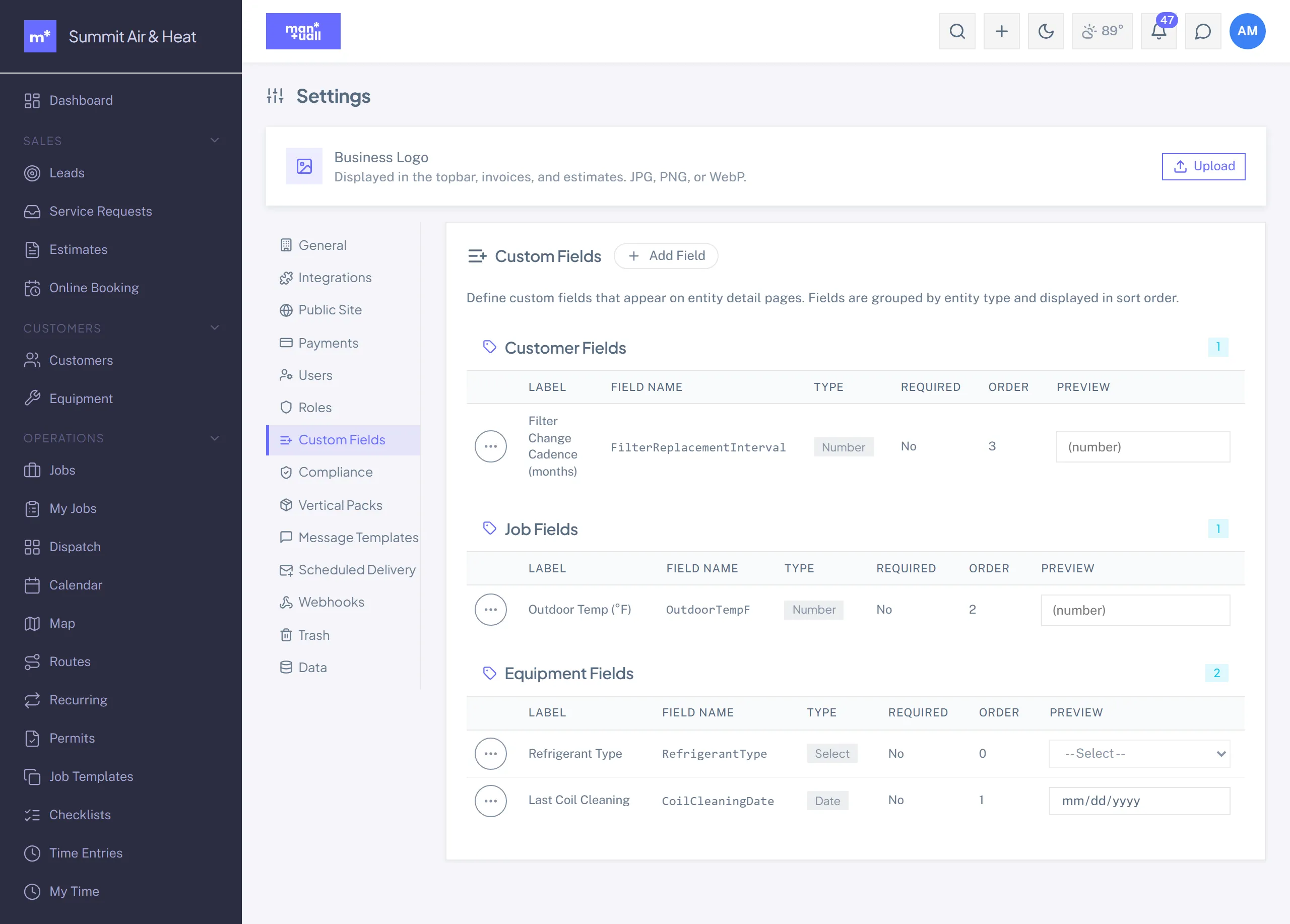
Setting one up
- Settings -> Custom Fields -> + New Field.
- Pick the entity.
- Label and type. Add the options if it's a Select.
- Toggle Required if you want it validated.
- Save. Existing records show the new field blank; new ones prompt for it.
What trade packs already added
Apply a Trade pack and you start with around a dozen fields. HVAC, for example, ships Refrigerant Type, BTU Rating, SEER Rating, Filter Size, and AHRI Reference Number. Edit or remove any of them from Settings -> Custom Fields like any other field.
Common patterns
| Business case | Field | Type |
|---|---|---|
| Capture an insurance carrier | Insurance Carrier (Customer) | Text |
| Track install warranty expiry | Warranty Expires (Equipment) | Date |
| Mark VIP customers | VIP (Customer) | Checkbox |
| Pre-job site hazards | Site Hazards (Job) | Text |
| EPA / state product log | Products Applied (Job) | Text |
Don't overdo it
Ten fields is fine; thirty is friction.
Every custom field adds to the form-fill burden on your team. Add fields you'll actually use, not "just in case" ones. You can always add more later when you hit a real gap.