
Custom Roles & Permissions
Build your own role with a V/C/E/D permission matrix beyond the four system roles.
The four built-in roles (Admin, Manager, Dispatcher, Technician) cover most teams. When they don't, build a custom role with a V/C/E/D matrix per feature.
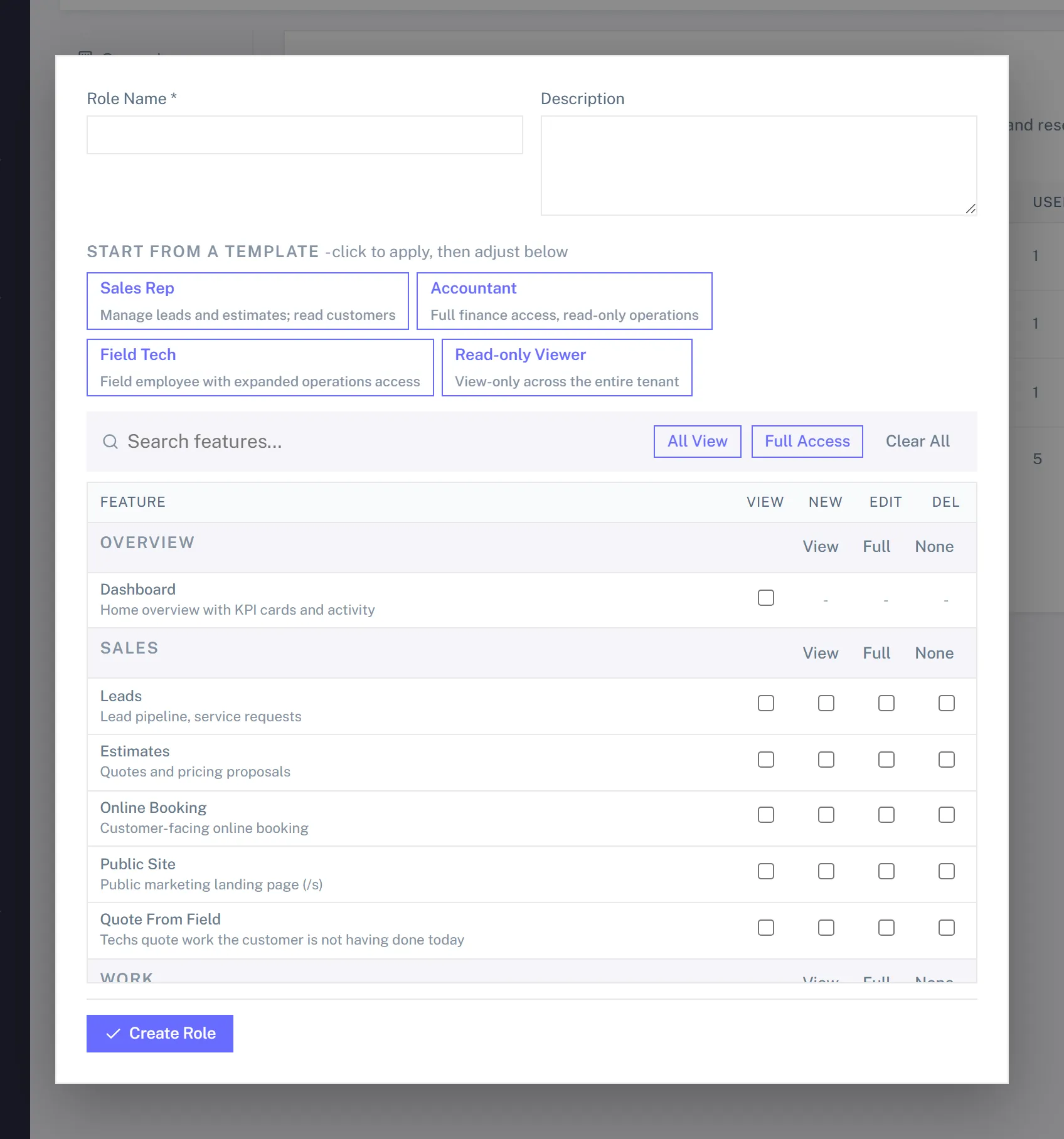
V/C/E/D explained
| Flag | Means |
|---|---|
| V (View) | See the feature's pages, lists, and detail views. |
| C (Create) | Add new records. The editor's column header reads NEW. |
| E (Edit) | Change existing records. |
| D (Delete) | Soft-delete records (recoverable from Trash). |
The flags are independent. A role can View and Create but not Edit ("data entry can submit, can't change"), or View and Edit but not Create.
Creating a custom role
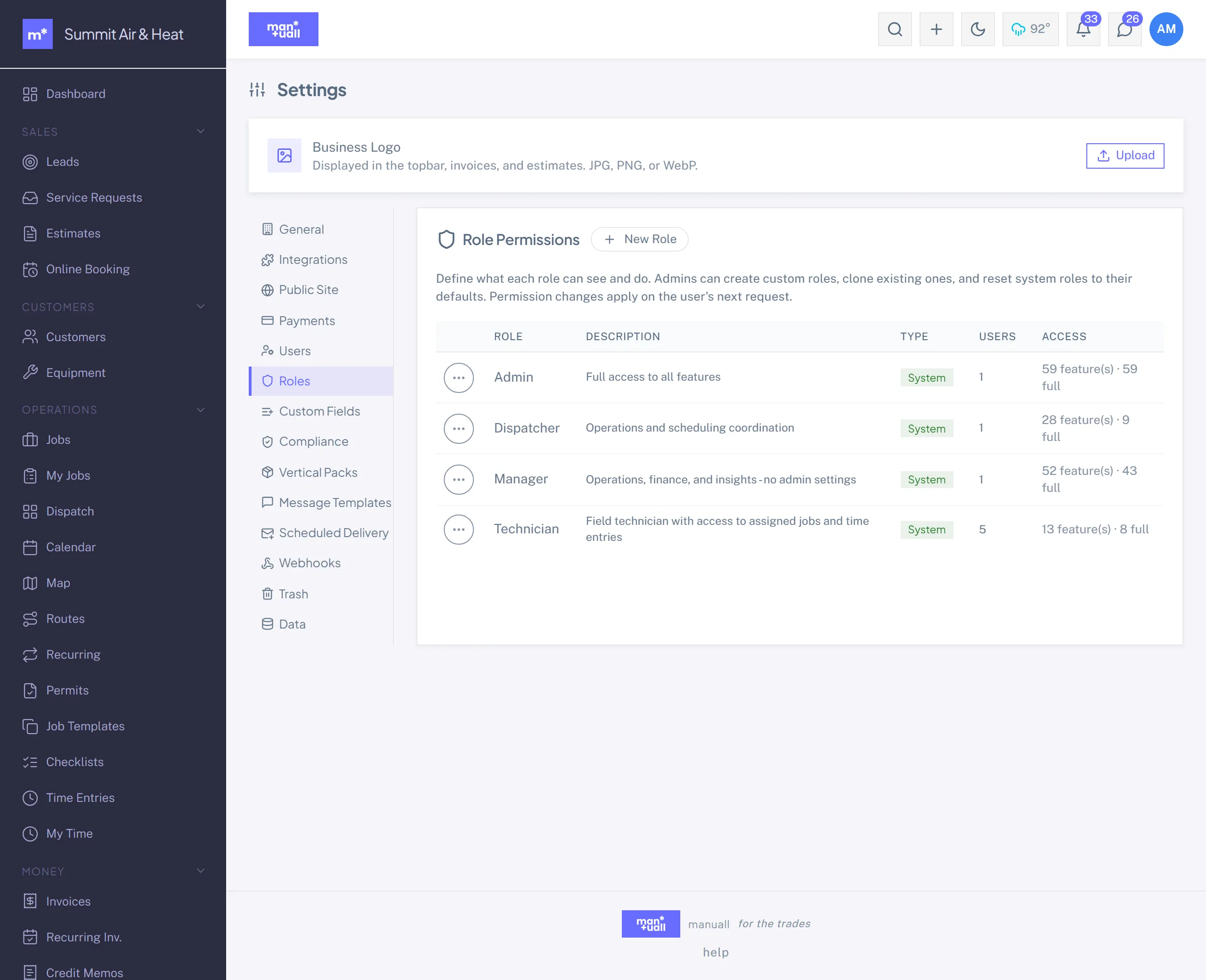
- Settings -> Roles -> + New Role.
- Name it ("Lead Tech," "Bookkeeper Read-Only").
- The V/C/E/D editor appears, one row of four checkboxes per feature, grouped by category (Sales, Work, Customers, Money, and so on).
- Tick what the role needs.
- Save.
Assigning users
Settings -> Users -> click a user -> Role dropdown. Your custom role shows up beside the four built-ins. Save, and their permissions take effect on their next request.
Examples
Lead Tech (senior technician)
Like a Technician, but can also see and edit Jobs (not just their own) and the full Customer record.
- Jobs: VE (no Create, no Delete).
- Customers: VE.
- Plus everything a Technician already gets.
Bookkeeper (read-only finance)
Sees the money, can't touch it. Good for an outside accountant.
- Invoices: V.
- Credit Memos: V.
- Recurring Invoices: V.
- QuickBooks: V.
- Analytics: V.
- Audit Log: V.
- Everything else: left off.
Office Manager (Manager minus the audit log)
Copy a Manager's matrix and drop Audit Log.
System roles vs custom roles
The four built-ins ship with sensible defaults (the matrix is in Invite Your Team). You can reset a system role to its defaults but can't delete it. Custom roles are fully deletable (Settings -> Roles -> click -> Delete).
The last-admin guard
You can't make a change that locks everyone out of Roles and Users.
If your edit would leave nobody able to manage Settings, the save is rejected with a clear error. Nominate a second admin before reshuffling the matrix.
How the gate works
Every request is checked against your role's V/C/E/D matrix for the feature in play, with View, Create, Edit, and Delete checked independently. Anonymous resources (like these help pages) skip the check entirely. Custom roles run through the exact same gate as the system roles, so there's no special-casing: a role can reach precisely what its matrix allows.