
Customer Feedback Loop
Send surveys after the job, capture CSAT and NPS, route happy customers to Google reviews.
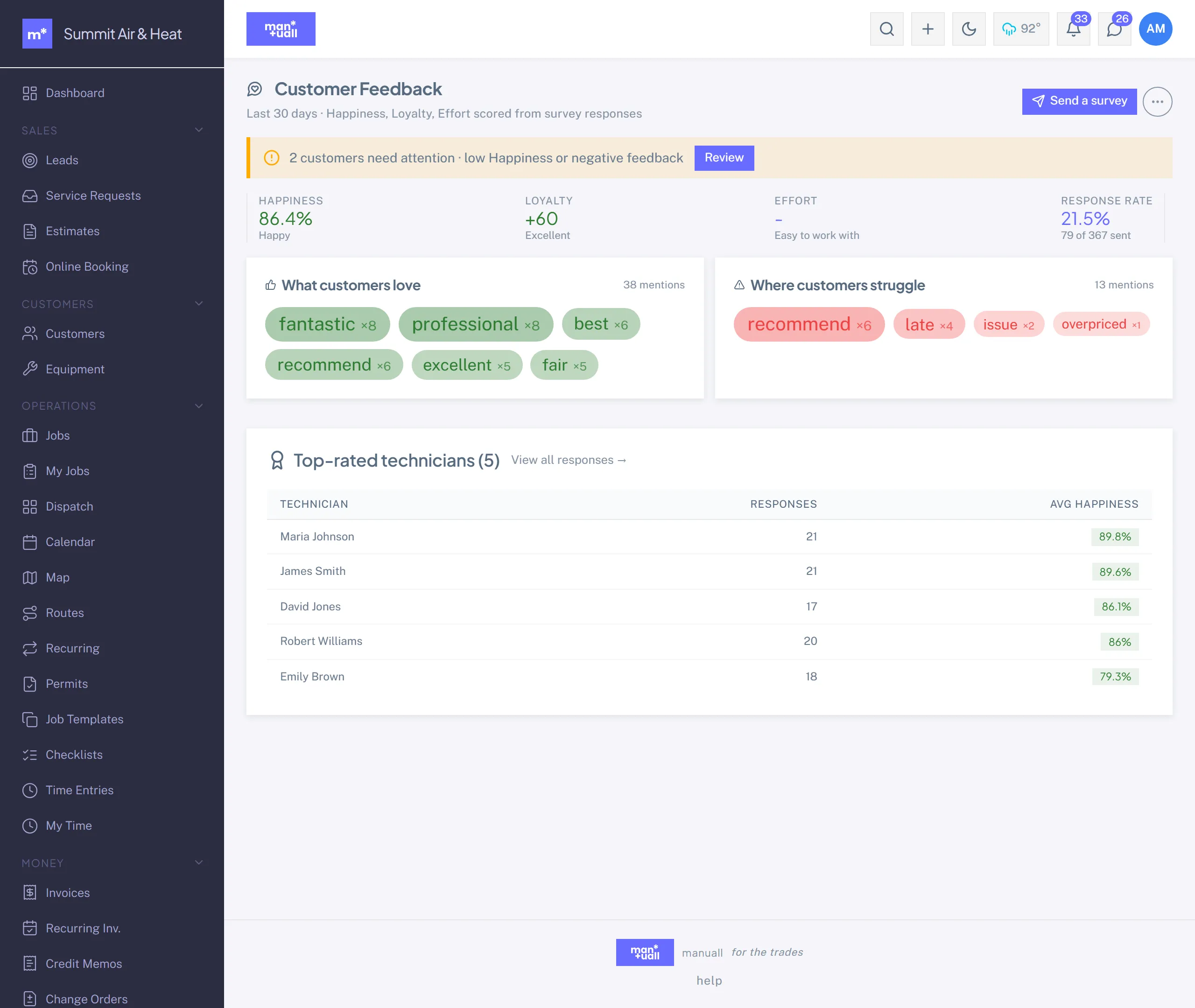
Feedback in Manuall is a closed loop, not a checkbox. Surveys go out, customers respond, the headline scores roll up to the dashboard, and happy customers get routed to your Google review page. Negative feedback surfaces right away so you can make it right quickly.
The loop, end to end
- Build a template. A reusable questionnaire. Four ship built in; edit them or make your own.
- Launch a campaign. Wire a template to a trigger: post-job, post-invoice, scheduled, or manual.
- The survey fires. The customer gets a token-authenticated link.
- They respond. A no-login page, answer, Submit.
- Manuall scores it. Happiness (CSAT), Loyalty (NPS), Effort (CES) computed from the numeric answers, plus keyword sentiment on free text.
- The dashboard updates. 30-day rolling averages on the Dashboard and in Analytics.
- High Happiness routes the customer to a Google review request.
- A low score surfaces on the Dashboard's needs-attention tile so you can follow up fast.
The three headline metrics
| Manuall name | Industry name | Measures | Computed from |
|---|---|---|---|
| Happiness | CSAT | "How satisfied were you?" | the share of top-box ratings |
| Loyalty | NPS | "Would you recommend us?" 0-10 | % promoters (9-10) minus % detractors (0-6) |
| Effort | CES | "How easy was it to work with us?" 1-7 | the 1-7 ease scale |
The dashboard tile uses plain language ("Happiness 87%"); the Customer Feedback page shows the industry terms alongside, for benchmarking.
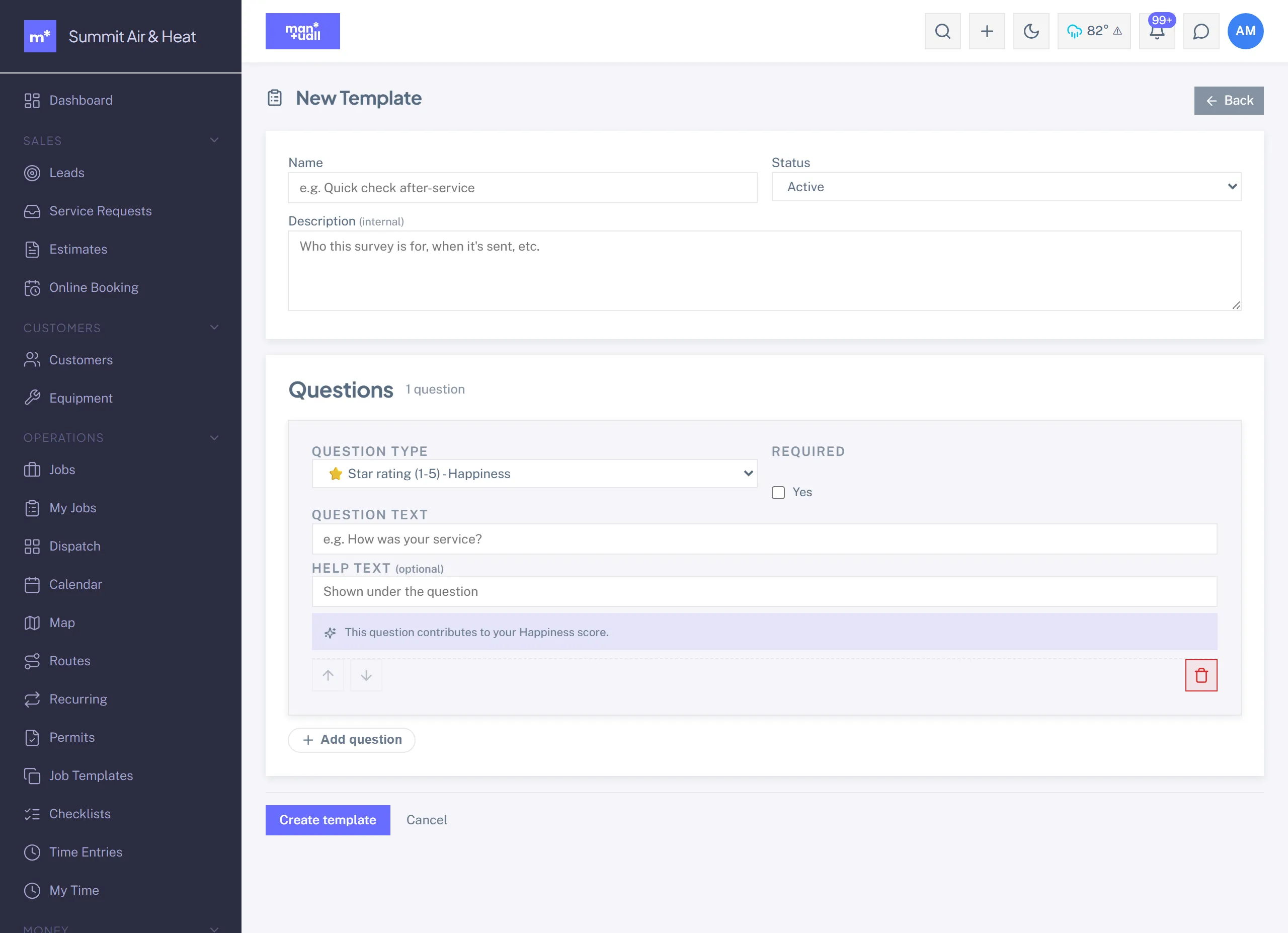
Question types
Nine: rating 1-5, rating 1-10 (NPS), rating 1-7 (CES), yes/no, single choice, multiple choice, short text, long text, and date.
Campaign triggers
| Trigger | When it fires | Common use |
|---|---|---|
| Post-job | A set number of hours after a job is Complete (default 24). | CSAT on every service. |
| Post-invoice paid | When the invoice flips to Paid. | "Easy to pay?" effort score. |
| Scheduled | Weekly, Monthly, Quarterly, or Annually to a segment. | NPS pulse. |
| Manual | You hand-pick recipients. | Targeted research, problem customers. |
Setting up the loop
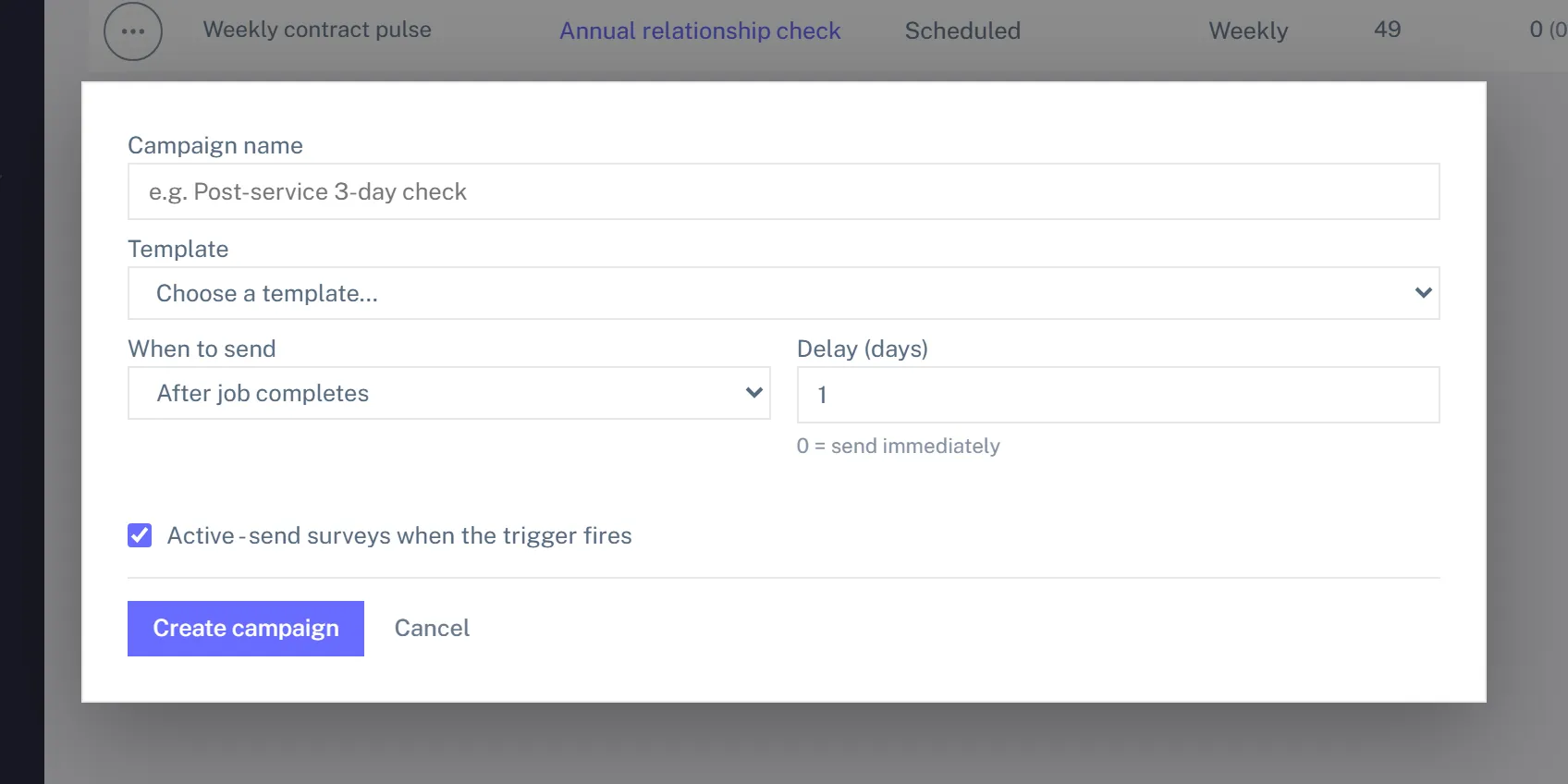
- Insights -> Customer Feedback -> Campaigns -> + New Campaign.
- Pick a template, name the campaign.
- Set the trigger (for post-job CSAT: trigger = Post-job, delay 24 hours).
- Set the audience (all customers, residential only, a custom-field segment).
- Set the Google review threshold and your Google review URL in Settings, so a Happiness score at or above the threshold routes the customer to your review page after they submit.
- Activate. It now fires whenever the trigger condition is met.
What the customer sees. A short, mobile-friendly page: "How did we do? We just finished your annual furnace tune-up. Got 30 seconds?" A 1-to-5 star rating, an optional comment box, and Submit. No login.
The Google review route
On submit, Manuall computes the Happiness score. If it's at or above your threshold (default 80) and you've set a Google review URL, a friendly email invites the customer to share that feedback publicly. Each customer is asked once per survey response, never twice for the same one. The click runs through a Manuall redirect so you can track review-request-to-click as a KPI.
Why this matters.
Most happy customers never think to leave a review. A timely, friendly ask right after a good visit, while satisfaction is fresh, helps your real reputation show up online.
Closing the loop on negative feedback
Low scores are at least as valuable as high ones. A response with Happiness under 50 (or flagged as negative sentiment) lands on the Dashboard's needs-attention tile, and the full response stays on the customer's record so the next tech knows there's a delicate situation. Recovery within 24 hours saves more accounts than anything else.
Survey delivery
Surveys queue when a trigger fires, send automatically, and stamp Sent, Failed, or Skipped per recipient (no email becomes Skipped with a reason). The full pipeline is under Insights -> Customer Feedback -> Delivery.