
Price Book (Services)
Your service catalog: three-tier pricing, cost and margin, parts BOM, bulk markup.
The Price Book (formerly "Services") is your service catalog, the single source of truth for prices, costs, parts bills of materials, and your customer-tier strategy.
Hierarchy
Category -> Subcategory -> Service. Both Category and Subcategory are yours to define; the picker browses by category.
Three-tier pricing
| Tier | Use case |
|---|---|
| Default | Walk-in residential, no membership. |
| Member | Customers on a maintenance plan or loyalty tier. |
| Commercial | Higher-volume or contract commercial accounts. |
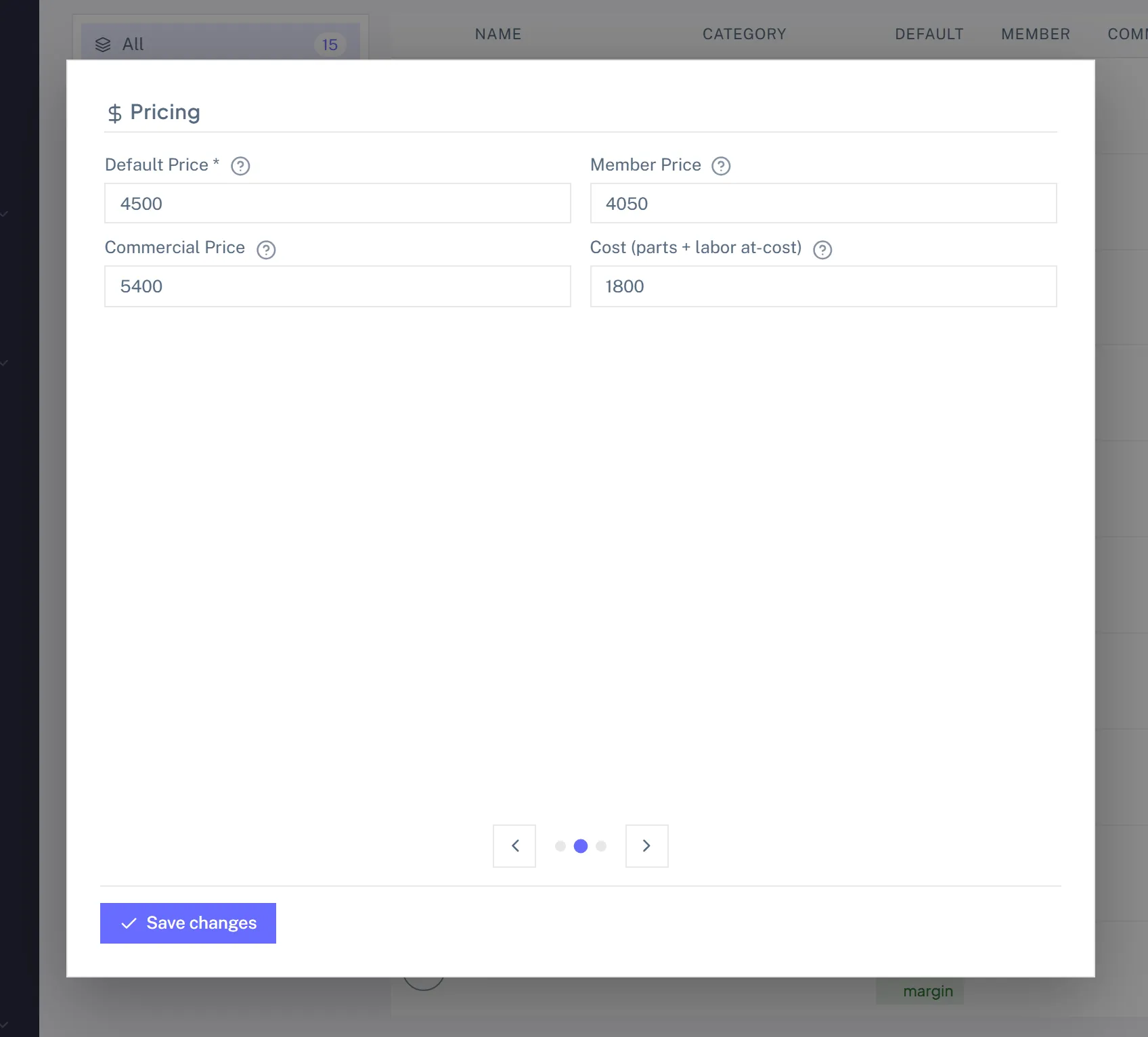
When you add a service to an estimate, invoice, or job, the customer's Type plus Membership Status auto-picks the tier. Override per line if you need to.
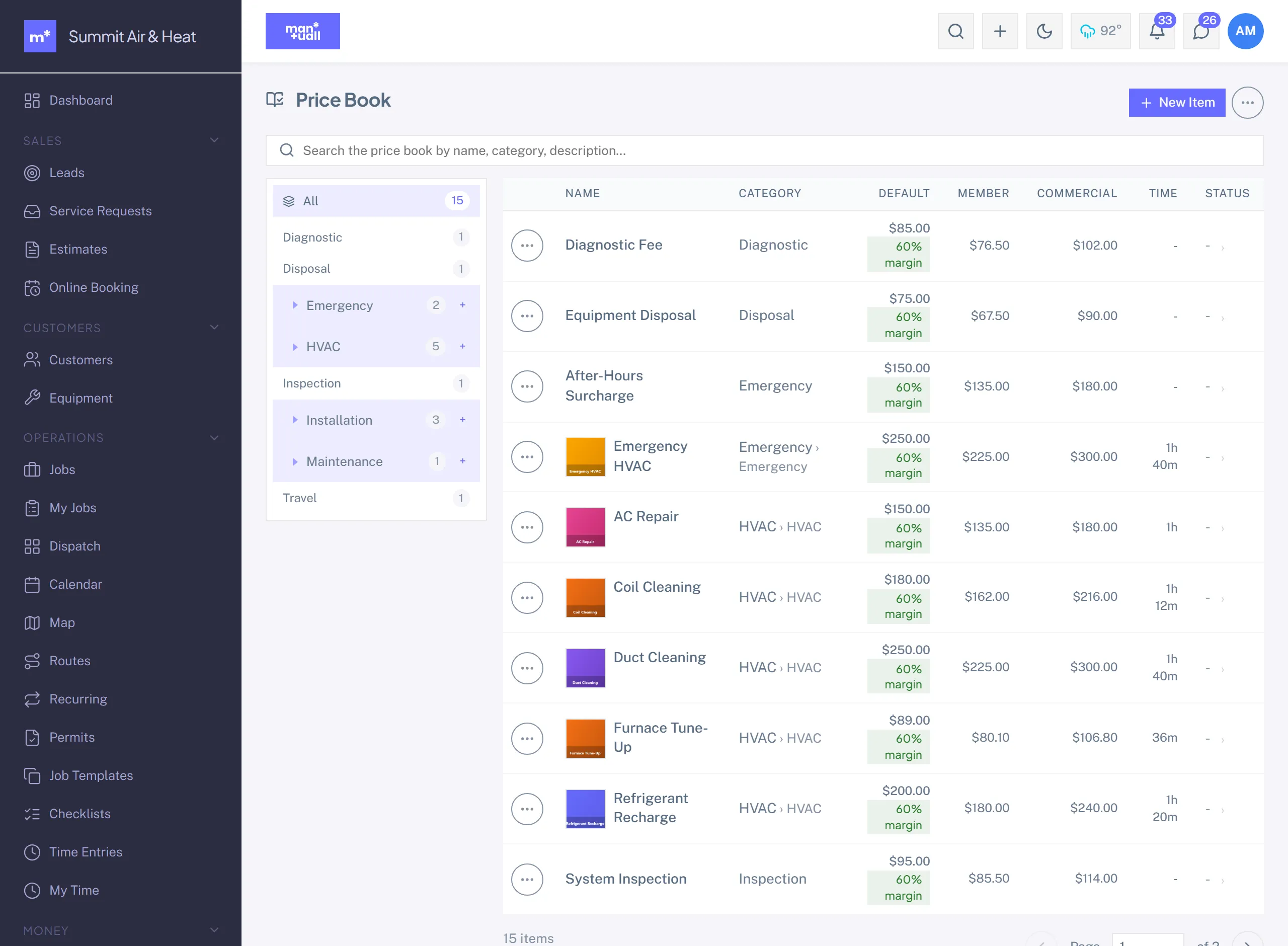
Cost and margin
Each service can carry a Cost (your delivered cost). Margin% computes as (Price minus Cost) / Price. Analytics -> Financial Health builds on it, so the more services carry a real cost, the sharper your margin picture.
Parts BOM
A service can carry a list of parts it usually installs. Add the service to a job and the parts ride along.
Estimated minutes
For the slot finder. If a service usually takes 60 minutes, set EstimatedMinutes to 60. The slot finder sums service durations to size the time window.
Bulk markup
Price Book -> Bulk Markup -> pick a category or filter -> apply +X% or a fixed amount. It is audit-logged. A common quarterly move to keep up with cost creep.
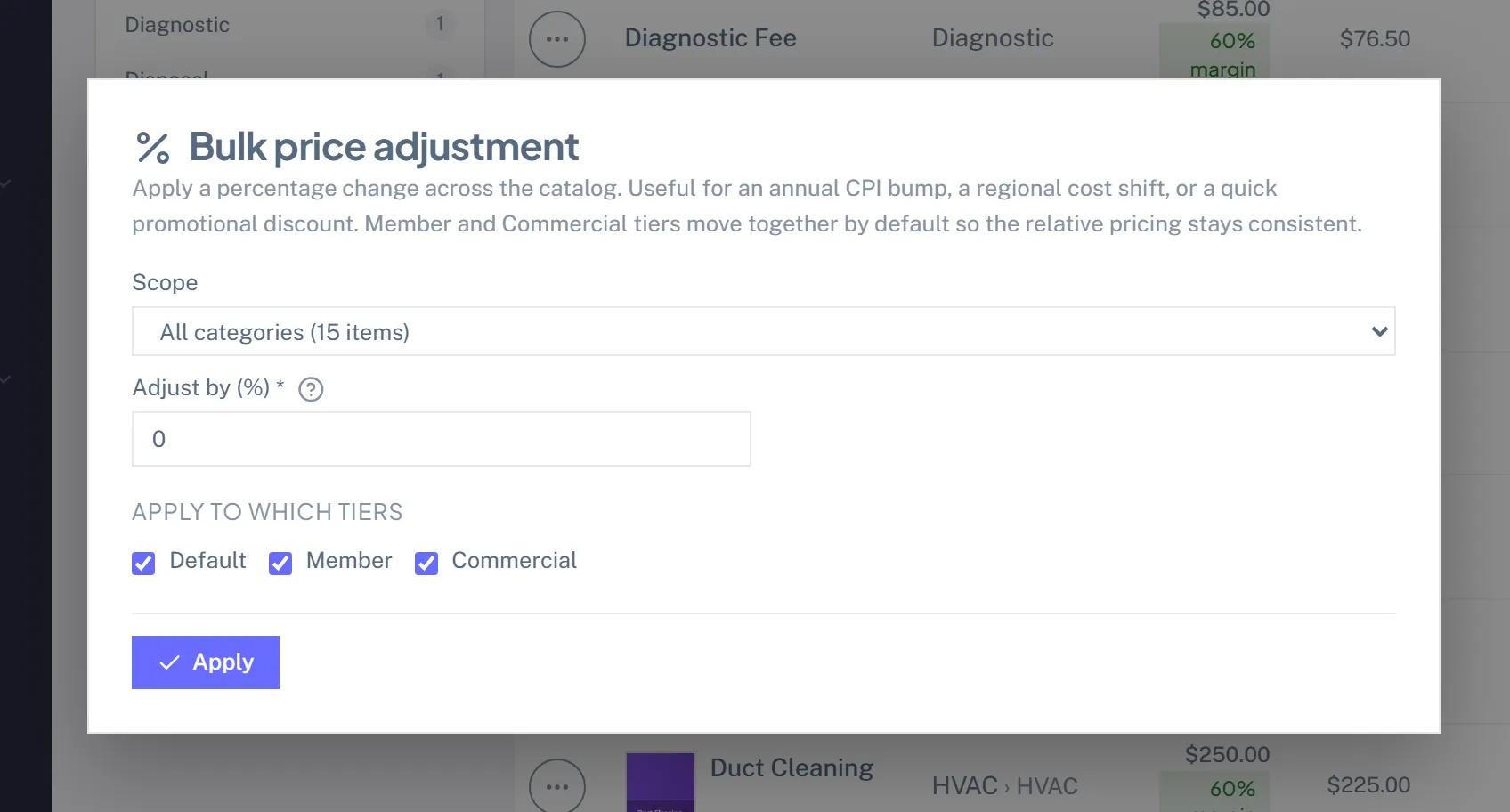
Price-change audit
Every price change is captured in the Audit Log with the before and after, so you can see what changed, when, and who made the call.
Tech-visible
Technicians can browse the Price Book on their phone, read-only, which is handy for on-site upsell conversations.
Plan tier
Price Book is on every plan.