
Recurring Work
Maintenance agreements, weekly routes, monthly invoices, on autopilot.
Recurring work turns one-off jobs into a predictable revenue base. Three features cover it: Recurring Jobs, Recurring Invoices, and Service Contracts.
The three layers
| Layer | What it generates | Why |
|---|---|---|
| Recurring Jobs | A real job on a schedule (weekly clean, monthly HVAC checkup, quarterly pest). | You're doing the work on cadence. |
| Recurring Invoices | A standalone invoice on a schedule (subscription, retainer). | You're billing on cadence. |
| Service Contracts | The agreement over both. | Renewal tracking, the contract-attach KPI, portal visibility of "what's included." |
You often combine all three. A "Gold maintenance plan" might be a Service Contract (12-month term, renewal tracked), a Recurring Invoice billing monthly, and a Recurring Job generating a tune-up each season.
Setting up a Recurring Job
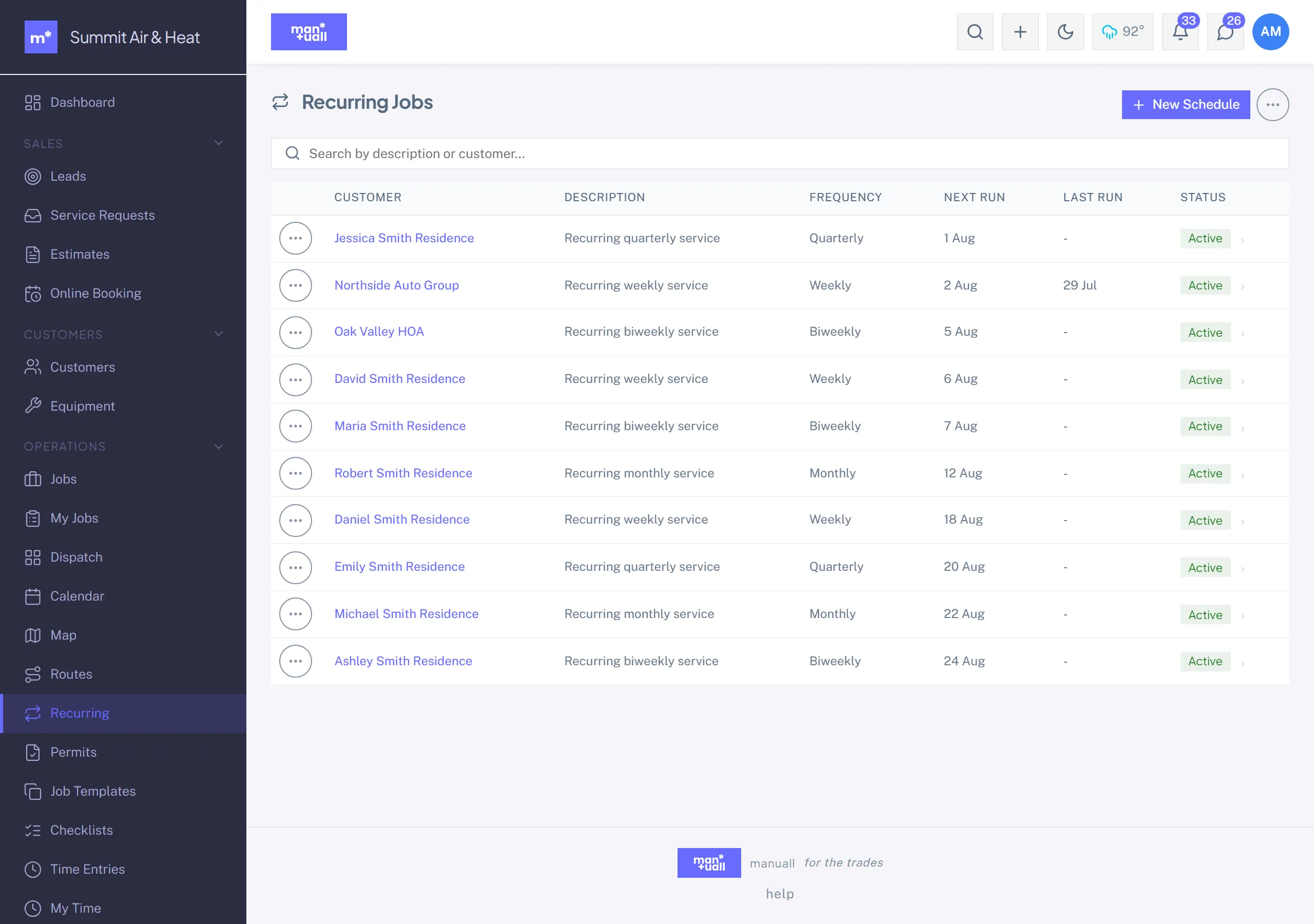
- Sidebar -> Operations -> Recurring.
-
- New schedule.
- Pick the customer.
- Pick a Job Template (or build the job by hand).
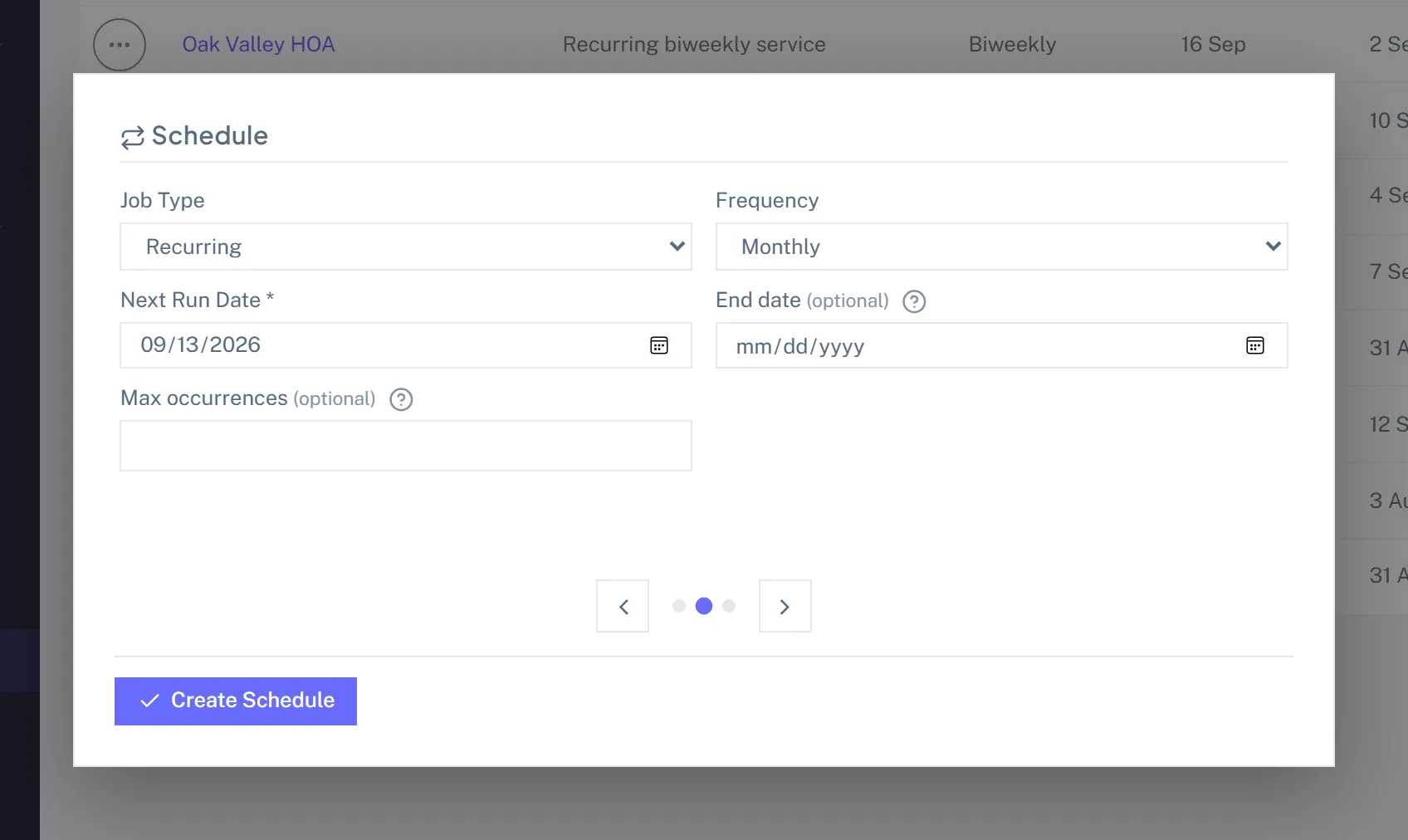
- Cadence: Weekly, Biweekly, Monthly, Quarterly, or Annually, plus the first run date.
- Default tech (optional). Set it and every generated job auto-assigns; leave it blank and jobs land unassigned.
- End rules (optional but smart): an end date, a max occurrences cap, or both.
- Save. The next run date is computed.
What happens day-of
Manuall checks active schedules on a regular background cycle. When a run is due it generates the job, assigns the default tech (if set), bumps the occurrence count, computes the next run date, and marks the schedule Ended if an end rule is hit. You can also add blocked dates (holidays) so a due occurrence slides forward instead of booking on a closed day.
Setting up a Recurring Invoice
Same shape, but it generates an invoice. Sidebar -> Money -> Recurring Invoices -> + New schedule: customer, line items, tax, cadence (Monthly, Quarterly, or Annually), end rules.
Each schedule has an Auto-send toggle. Off (the default), the generated invoice lands in Draft for you to review. On, it emails the customer automatically.
Pause and resume
A customer pauses service (vacation, off-season, billing dispute). Don't delete the schedule, pause it.
- Open the schedule (job or invoice).
- Click Pause, enter a reason. The reason is logged.
- It stops generating; the list shows status Paused.
- Resume recomputes the next run date from now plus the cadence.
A paused schedule blocks Generate one now and Skip next with a clear "schedule is paused" error, so you can't accidentally push past the pause.
Skip the next one
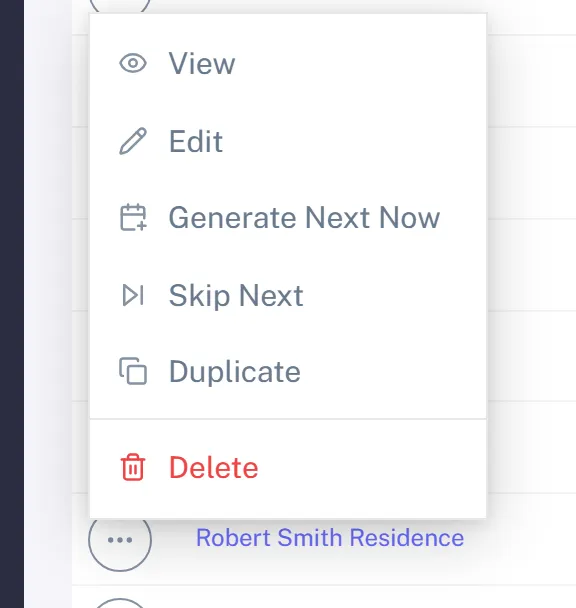
Holiday week, equipment waiting on parts: open the schedule -> Skip next. The next run date advances by one cadence and no job is generated. Call it twice to skip two.
Generate one now
A customer wants their tune-up brought forward because they're hosting a party. Open the schedule -> Generate one now. The job is created immediately; the schedule's next run date is unaffected.
Status badges
- Active: generating on schedule.
- Paused: suspended with a reason.
- Ended: an end rule was reached.
- Inactive: toggled off.
In Analytics
- Customer Relationship -> Contract Attach Rate: what share of active customers carry a contract. A leading indicator of recurring revenue.
- Customer Relationship -> Contract Renewal Rate: at renewal time, what share renew. A lagging indicator of service quality.